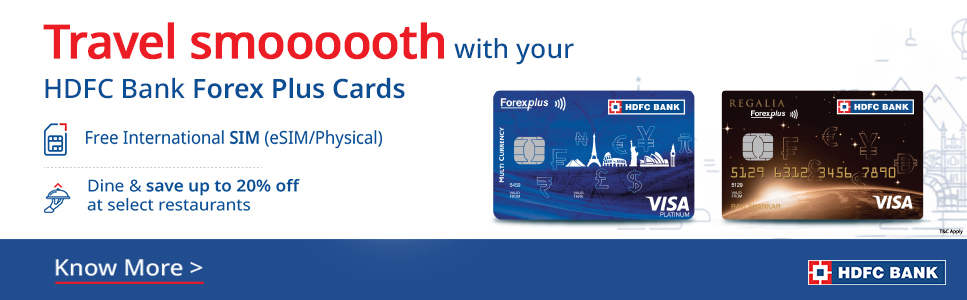
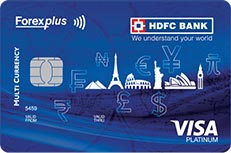
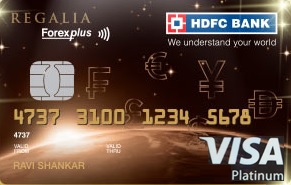
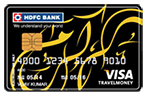
ForexPlus Card is currently available in 10 currencies
- Personal
- Products
- Cards
- Prepaid Cards
- ForexPlus Card
Why Choose this Product?
-

No more moneychangers
-

No more overseas shopping transaction charges
-

Fast support for stolen or lost cards
ForexPlus Card

Expand All
What are the benefits of the HDFC Bank ForexPlus Card?
The HDFC Bank ForexPlus card works just like a Credit Card, but the transaction amount is debited directly from your HDFC Bank ForexPlus card balance. Your HDFC Bank ForexPlus card is accepted at all Merchant Establishments displaying the Visa / MasterCard symbol, worldwide.
You will get some exclusive features and benefits with your HDFC Bank ForexPlus Card
- Backup card facility available
HDFC Bank ForexPlus Card also comes with an option of back up card. Back-up card can be used as a 'Replacement Card' in case you lose your card. Kindly note that this is an optional feature and you need to request for the same at the time of purchasing the card. - Online usage allowed ( E-comEcom is short-form that stands for of E-Commerce. Bank allows E-commerce facility using HDFC Bank ForexPlus Cards towards shopping done on online website / shopping portals. By using this facility customer can make payments with the help of HDFC Bank ForexPlus Card towards on-line shopping transaction . Please note that the cardholder needs to enable Ecom transaction facility using Prepaid NetBanking service before initiating Ecom payment using HDFC Bank ForexPlus Card. Once enabled, the customer can make multiple payments for upto 24 hours, post which the facility gets disabled as a security feature. transactions )
To avail E-Commerce transaction feature on the HDFC Bank ForexPlus Card, you need to activate the E-comEcom is short-form that stands for of E-Commerce. Bank allows E-commerce facility using HDFC Bank ForexPlus Cards towards shopping done on online website / shopping portals. By using this facility customer can make payments with the help of HDFC Bank ForexPlus Card towards on-line shopping transaction . Please note that the cardholder needs to enable Ecom transaction facility using Prepaid NetBanking service before initiating Ecom payment using HDFC Bank ForexPlus Card. Once enabled, the customer can make multiple payments for upto 24 hours, post which the facility gets disabled as a security feature. transaction option through Prepaid Card NetBanking Facility. After activation, the E-Commerce service will be available for next 24 hours only, post which the E-Commerce facility will be disabled on the Card. To re-use the Card for E-Commerce you will be required to activate the E-Commerce feature once again. - Protection against Foreign Exchange fluctuation
The basic denomination of this card is in AUD / AED / CAD/ CHF/ Euro / GBP / JPY / SGD and US Dollars . But you can withdraw cash or use the card at POSPoint of Sale in any currency, anywhere in the world. For withdrawals, which are in the card currency i.e. AUD / AED / CAD/ CHF/ Euro / GBP / JPY / SGD and US Dollars, you don't lose out on foreign exchange due to fluctuating market rates - Safer and more secure
This card is accepted at all Visa/ Mastercard Merchant outlets and 24 hour VISA/ Mastercard ATMs worldwide. So no more carrying the bulk of cash or travellers' cheques. And no more hassle of chasing money changers, paying commissions and tracking expenses. Your Card is protected against misuse at ATMs with a PIN. In case your card gets lost or stolen, all you have to do is call HDFC Bank PhoneBanking immediately and report the loss of your card. This facility is available 24 hrs. on all days. The card can also be hotlisted using our Prepaid card NetBanking facility on www.hdfcbank.com. - Reloadable at all HDFC Bank branches, even when the cardholder is abroad *
Your HDFC Forexplus card is valid upto the last day of the month indicated on your card. Within this period you can use your card as often as you like. In case your money gets exhausted, this card offers the facility to reload even in the middle of your journey.*Reload requests made by any person on your behalf will be acted upon.Incase the Card is issued by your corporate/employer,reload requests will also be acted upon by HDFC Bank.
- Available in Australian Dollar, AED (Dirhams), Canadian Dollar, Euro, Japanese Yen, Singapore Dollar, Sterling Pound, Swiss Franc, Swedish Krona (SEK) and US Dollar Currencies.
Each of these currencies are accepted worldwide and can be changed into the currency of the country that you are in. - Ease of tracking
Get online access to your card account and track your spends, check your balance, Change your IPINIt is an Internet Password that the customer can choose to access NetBanking. It is a confidential password for the security of their account. and log an online request for PIN change. What more, we'll also send you a statement of account to your mailing address at the end of every month during which any card transaction takes place. - Insurance Cover
Enjoy a travel experience free of financial worries with card insurance covers such as Personal Accident Insurance (Death cover only) of Rs.2,00,000, loss of checked baggage cover upto Rs.20,000 and passport reconstruction cover (actual cost of passport reconstruction only).
What are the charges of the HDFC Bank ForexPlus Card?
| Fee headings | Charges for the AUD Card | Charges for the CAD Card | Charges on the Euro card | Charges on the GBP card | Charges for the JPY Card |
|---|---|---|---|---|---|
| Issuance fee | 125 INR | 125 INR | 125 INR | 125 INR | 125 INR |
| Reload Fee | 75 INR | 75 INR | 75 INR | 75 INR | 75 INR |
| Reissue PIN | 1 AUD | 1 CAD | E 1 per PIN | GBP 1 per PIN | 125 JPY |
| ATM Cash withdrawal | 2 AUD | 2 CAD | E 1.50 | GBP 1 | 250 JPY |
| Balance Enquiry | 0.50 AUD | 0.50 CAD | E 0.50 | GBP 0.50 | 60 JPY |
| Charge slip Retrieval | 3 AUD | 3 CAD | E 2.50 | GBP 1.5 | 375 JPY |
| Fee headings | Charges on the SGD card | Charges on the USD card | Charges on the CHF card | Charges on the AED card | Charges on the SEK card |
|---|---|---|---|---|---|
| Issuance fee | 125 INR | 125 INR | 125 INR | 125 INR | 125 INR |
| Reload Fee | 75 INR | 75 INR | 75 INR | 75 INR | 75 INR |
| Reissue PIN | SGD 1.25 | $ 1 per PIN | 1.50 CHF | 3.50 AED | SEK 7 |
| ATM Cash withdrawal | SGD 2.70 | $2 | 2.50 CHF | 7 AED | SEK 15 |
| Balance Enquiry | SGD 0.75 | $0.50 | 0.60 CHF | 2 AED | SEK 3.50 |
| Charge slip Retrieval | SGD 4 | $3 | 3.50 CHF | 10.5 AED | SEK 22.50 |
Cross Currency Charges:
The Bank will charge cross currency markup of 3% on transactions carried out on ForexPlus card, other than the transactions in the card currency.
Exchange rate used will be the VISA/Mastercard wholesale exchange rate prevailing at the time of the transaction.
Forex conversion fee applicable
*Service Tax applicable on all charges
Eligibility and Documentation
You don't need to be a HDFC Bank customer! If you don't have an account, just visit a branch with the following documentation:
- The completed ForexPlus Application Form
- Form A2
- A photocopy of your Passport
If you are a customer, you will need to provide:
- The completed ForexPlus Application Form
- Form A2
A look at the documentation mandated by FEMA as per the quota of your travel:
| Purpose | Limit |
|---|---|
| Basic Travel Quota (BTQ) - For Holidays, Personal visits etc | USD $10,000.00 per financial year |
| Business Travel | USD $25,000.00 per Trip |
| Immigration - For people who settle abroad in countries like Canada, New Zealand etc. | USD $100,000.00 per year |
| Employment Abroad - For a person who is going to work abroad | USD $100,000.00 per year |
| Medical Treatment - For people who are travelling abroad for treatment | USD $100,000.00 per year |
| Studies Abroad - For students pursuing studies abroad | USD $100,000.00 per academic year |
Have questions?
Are there extra charges to be aware of?
A few things to note - US Banks are given the right to add a surcharge to other bank customers accessing their ATMs. There are also certain ATMs in other countries that may levy a charge for transactions made by non-bank customers. These fees are normally displayed during the transaction. Check for this, so that you can either proceed with or end the transaction.
How do I top-up the value of my card?
There are two ways to top-up your card. You can either authorise HDFC Bank to debit your account or use the remote reload facility. In the case of the remote reload facility, someone authorised by you has to go to a branch with the necessary documents and funds. We’ll take care of the rest.
What currencies are available?
There are ten currencies offered:
- Australian Dollar (AUD)
- Dirhams (AED)
- Canadian Dollar (CAD)
- Euro (EUR)
- Japanese Yen (JPY)
- Singapore Dollars (SGD)
- Sterling Pound (GBP)
- Swiss Franc (CHF)
- US Dollar (USD)
- Swedish Krona (SEK)
I’m not a traveller, can I still benefit from the ForexPlus Card?
The ForexPlus Card is only for travellers, and cannot be issued to non-travellers.
Where do I get this card?
This card is available over the counter at all HDFC Bank branches and "Select FFMCs" branches. You simply need to walk into the branch, fill in the required documentation, fund your card and walk out with the Card pack. The card will get activated within hours of the funding being done.
Expand All
Did you know?
- You can opt for email statements
- Your card is not valid for Foreign Exchange transactions in India, Nepal or Bhutan
- You need to register before initiating online transactions
Contact Us
Expand All
Get started with your ForexPlus Card
- Load and Re-load your Card – Every time you load or re-load your card, you will get an email alert on your registered Email ID with tips on ‘Dos & Don’ts’. If you want to re-load your card, you need to submit a Re-load Form, A2 Form and Cheque or Debit instruction.
- Settle Disputes – If you have any disputes related to your card, you need to submit a dispute letter to the bank stating the nature of your issue.
- View a User Guide – You will get a physical copy of the User Guide. You can check the User Guide to know more about your card.
What can you do online?
- With a ForexPlus Card you can initiate various transactions online:
- 1. Request for the generation of an ATM or IPINIt is an Internet Password that the customer can choose to access NetBanking. It is a confidential password for the security of their account.
- 2. Hotlist your Card
- 3. Activate Back-up for your Card
- 4. Register for SMS Alerts
- 5. Request Balance Enquiry
- 6. Activate E-comEcom is short-form that stands for of E-Commerce. Bank allows E-commerce facility using HDFC Bank ForexPlus Cards towards shopping done on online website / shopping portals. By using this facility customer can make payments with the help of HDFC Bank ForexPlus Card towards on-line shopping transaction . Please note that the cardholder needs to enable Ecom transaction facility using Prepaid NetBanking service before initiating Ecom payment using HDFC Bank ForexPlus Card. Once enabled, the customer can make multiple payments for upto 24 hours, post which the facility gets disabled as a security feature.
- You can also check your statements online with your ForexPlus Card.
Did you know?
- You should not swipe your ForexPlus Card at terminals that show the transaction value in INR. Make sure you swipe your card in local currency or Card currency.
- You can also opt for Email Statement
- Your card is not valid for Foreign Exchange transactions in India, Nepal & Bhutan
- When you are prompted at ATM machines or Merchant Outlets you should select the Credit Card option.
- U.S. Banks are given the right by the local federal laws to levy a surcharge/fee from other bank customers for accessing their ATMs to withdraw money. Accordingly, many ATMs in the US do levy charges for withdrawing from their ATMs, over and above the charges levied by HDFC Bank. Similarly, there are certain ATMs in other countries that may levy a charge for transactions made by other bank customers.
- It is necessary for you to register before initiating online transactions.
You can also benefit from
- A ForexPlus Platinum Card and get the additional benefits and privileges that come with it.
- A GiftPlus Card
Fees and Charges
| Fee headings | Charges for the AUD Card | Charges for the CAD Card | Charges on the Euro card | Charges on the GBP card | Charges for the JPY Card |
|---|---|---|---|---|---|
| Issuance fee | 125 INR | 125 INR | 125 INR | 125 INR | 125 INR |
| Reload Fee | 75 INR | 75 INR | 75 INR | 75 INR | 75 INR |
| Reissue PIN | 1 AUD | 1 CAD | E 1 per PIN | GBP 1 per PIN | 125 JPY |
| ATM Cash withdrawal | 2 AUD | 2 CAD | E 1.50 | GBP 1 | 250 JPY |
| Balance Enquiry | 0.50 AUD | 0.50 CAD | E 0.50 | GBP 0.50 | 60 JPY |
| Charge slip Retrieval | 3 AUD | 3 CAD | E 2.50 | GBP 1.5 | 375 JPY |
| Fee headings | Charges on the SGD card | Charges on the USD card | Charges on the CHF card | Charges on the AED card | Charges on the SEK card |
|---|---|---|---|---|---|
| Issuance fee | 125 INR | 125 INR | 125 INR | 125 INR | 125 INR |
| Reload Fee | 75 INR | 75 INR | 75 INR | 75 INR | 75 INR |
| Reissue PIN | SGD 1.25 | $ 1 per PIN | 1.50 CHF | 3.50 AED | SEK 7 |
| ATM Cash withdrawal | SGD 2.70 | $2 | 2.50 CHF | 7 AED | SEK 15 |
| Balance Enquiry | SGD 0.75 | $0.50 | 0.60 CHF | 2 AED | SEK 3.50 |
| Charge slip Retrieval | SGD 4 | $3 | 3.50 CHF | 10.5 AED | SEK 22.50 |
Cross Currency Charges:
The Bank will charge cross currency markup of 3% on transactions carried out on ForexPlus card, other than the transactions in the card currency.
Exchange rate used will be the VISA/Mastercard wholesale exchange rate prevailing at the time of the transaction.
Forex conversion fee applicable
*Service Tax applicable on all charges
Have questions?
How can I cancel my Forex Plus Card?
To cancel your Forex Plus Card, we request you to contact the PhoneBanking team or walk into your nearest HDFC Bank branch and place a request. Your request will be processed within one working day of us receiving the request.
There are no charges for the cancellation of a Forex Plus card. However, a currency conversion fee of Rs. 25 is applicable for this transaction.
Kindly visit the following URL to access information for the complete address and contact details of our Branches and PhoneBanking centers:
How do I top-up the value of my card?
There are two ways to top-up your card. You can either authorise HDFC Bank to debit your account or use the remote reload facility. In the case of the remote reload facility, someone authorised by you has to go to a branch with the necessary documents and funds. We’ll take care of the rest.
How do I activate e-commerce on my card?
Follow 2 simple steps:
- Step 1: Log on to Prepaid Card Net Banking.
- Step 2: Enable your e-commerce transaction facility to make purchases.
What happens if my card is lost?
In case your card gets lost or stolen, all you have to do is call HDFC Bank PhoneBanking immediately and report the loss of your card. This facility is available 24 hrs. on all days. The card can also be hotlisted using our Prepaid card NetBanking facility on www.hdfcbank.com
A new Card will be issued and the residual balance on your hotlisted Card will be transferred to your new Card.
How do I know if an ATM will accept my ForexPlus Card?
Look out for the VISA/PLUS/MasterCard logo.
Expand All


![//Properties/Data/Datum[@ID='D01']/DCR/FooterNavigation/ssl/@title](/assets/images/verisign.gif)